
ScrollStop Lite:
LinkedIn Feed Filter
A free suite of focused LinkedIn extensions, starting with a feed filter that hides the posts you do not want to see.
The problem worth solving.
The LinkedIn feed is a firehose. Topics you do not care about, authors you have long tuned out and company pages you followed years ago all compete for the same scroll.
LinkedIn offers little control over what shows up, so the only option is to keep scrolling past it.
How it works.
ScrollStop Lite is a suite of free Chrome extensions, each delivering one focused feature on top of a shared shell. The first is Feed Filter.
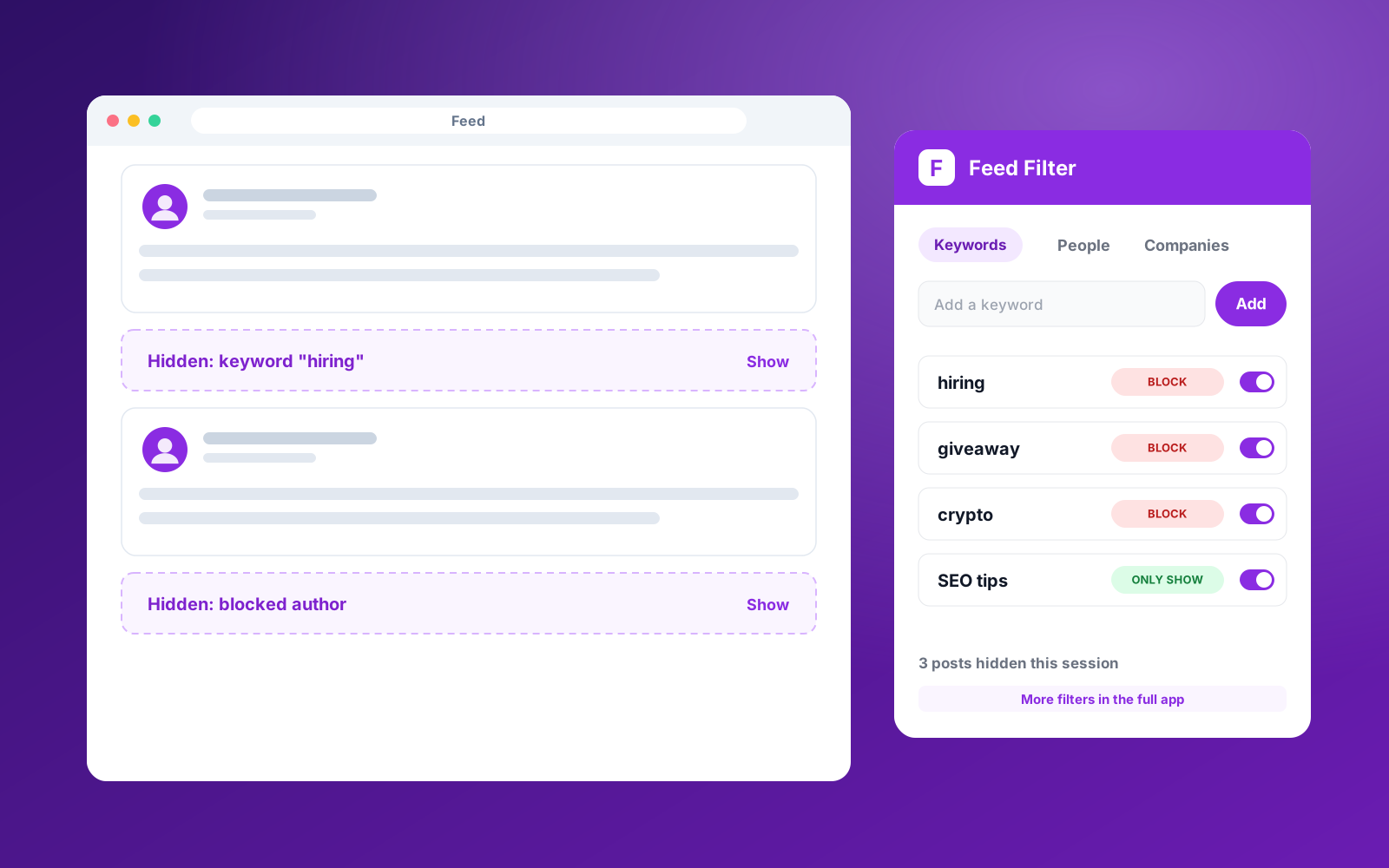
Feed Filter hides posts by keyword, by person and by company. Each rule can block a match, or work in reverse and only show posts that match. Hidden posts collapse into a small placeholder you can expand if you are curious.
Every extension in the suite shares one sign-in, so a new tool needs only its own feature logic. Free accounts get a starter allowance of filters, with a path to more in the full ScrollStop product.
1. Connect once. Paste your ScrollStop key. Every extension in the suite reuses it.
2. Add filters. Choose keywords, people or companies, and whether to block or only show them.
3. Browse your feed. Matching posts are hidden as you scroll, with a placeholder you can reveal.
4. Adjust on the fly. Block an author or keyword straight from the right-click menu.
What it delivers.
Block or only-show by keyword, person and company.
Collapsed placeholders for hidden posts.
Right-click to block an author or keyword.
Shared sign-in across the whole extension suite.
Free tier with a clear upgrade path.
The stack.
Got a process like this one?
If a repetitive task is eating your week, we can build the system that takes it off your plate. Let’s talk.